

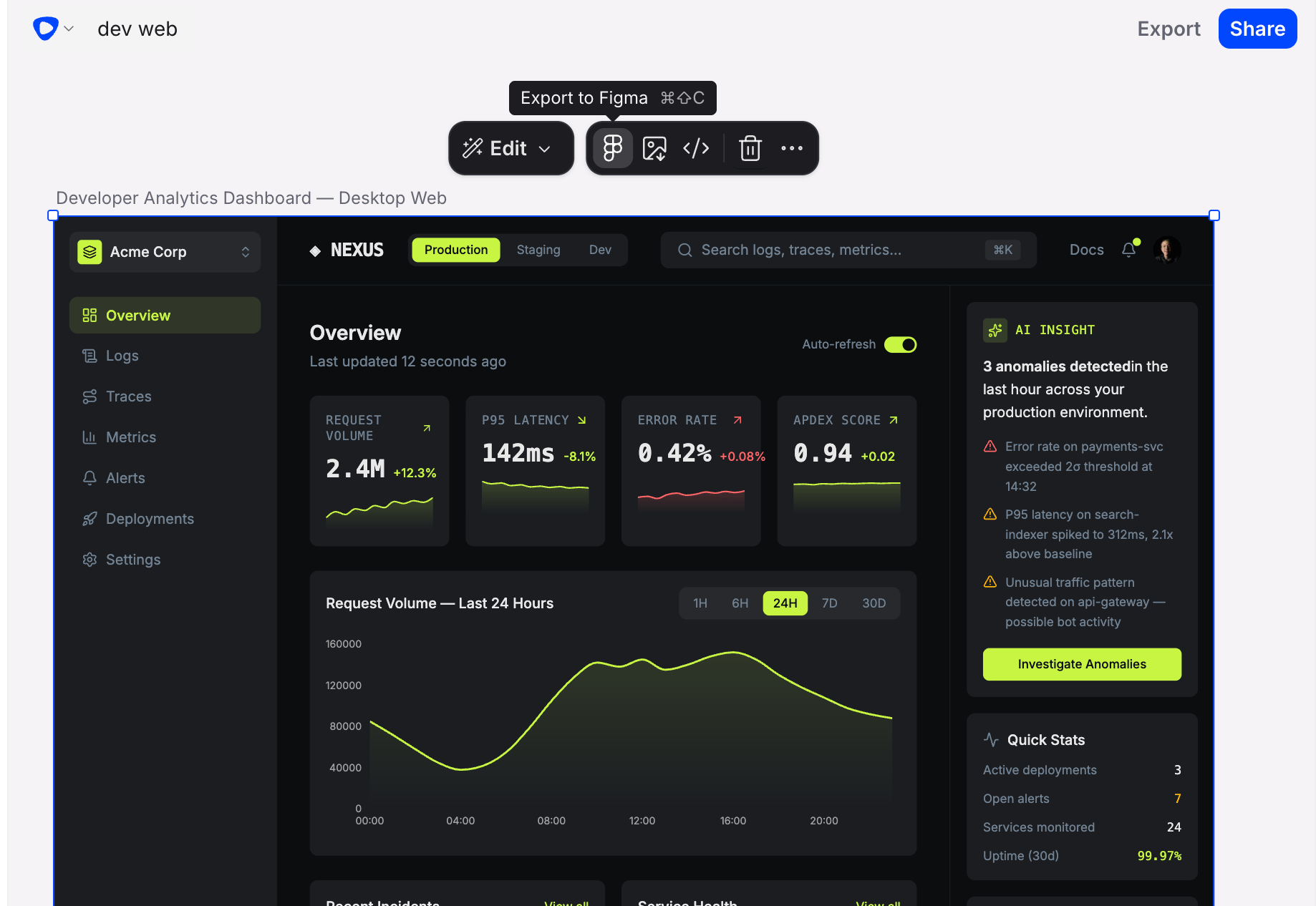
Flowstep and Figma are complementary tools, not competitors. Flowstep helps you rapidly generate and explore UI design ideas; Figma is where you refine, collaborate, and build out production-ready work. Using both together gives you the best of both.
How to copy a Flowstep design into Figma
1
Select one or more screens in Flowstep
Click a screen to select it — or select several screens to copy them all in one go. Make sure the selection is highlighted in the canvas.
2
Copy the selection
Press **Cmd+**⇧+C on Mac or **Ctrl+**⇧+C on Windows. Flowstep shows “Preparing your design. Stay on the current tab.” while it works; the copy completes in a moment.
3
Paste into your Figma file
Switch to Figma and open the file where you want to place the design. Press Cmd+V on Mac or Ctrl+V on Windows to paste. The Flowstep screens appear on your Figma canvas, ready to edit.
Copying to Figma uses your browser’s clipboard, so the browser must allow Flowstep clipboard access — if you see a permission error, allow clipboard access in your browser settings and try again. Switching tabs mid-copy interrupts the transfer; keep the Flowstep tab focused until the copy finishes.
Import a design from Figma
You can also go the other way and bring a Figma frame into Flowstep as editable screens. Importing is available to everyone — connect your Figma account once, then import from a frame link.1
Connect Figma
Connect your Figma account to Flowstep from your settings. Flowstep uses Figma’s authorization to read the files you have access to.
2
Copy a frame link in Figma
In Figma, right-click the frame you want and choose Copy link to selection. You can also copy a link to a whole page to import all of its top-level frames at once.
3
Import into Flowstep
Use the Figma import option in the Flowstep toolbar and paste the link. Flowstep converts the frame into editable elements on your canvas. Re-importing the same frame updates it in place.
What gets imported
Flowstep recreates a Figma frame as native, editable elements — not a flat image. An import brings across:- Frames and their nested layers
- Text, including per-character styling like weight, colour, and bold
- Colours from your Figma variables
- Image fills, and SVG icons and shapes
- Drop and inner shadows, and layer and background blurs
- Dashed and dotted strokes
The file’s organization must have Figma connected. If a frame won’t import, Flowstep shows an actionable message that tells you what to do next — for example, reconnect Figma if your authorization has expired, wait and retry if Figma is rate-limiting or slow to respond, or, for a Community template, duplicate it to your team first and paste the new link.