

Generate a shareable link
1
Open the design you want to share
Navigate to the design in your Flowstep project.
2
Generate a shareable link
Use the share option to create a link for the design. To let people outside your organization open it, set the file’s General access to Public — new files default to Members only.
3
Send the link
Paste the link into an email, Slack message, Notion doc, or wherever your stakeholders will see it. Anyone with the link can open the design immediately.
Viewers do not need a Flowstep account to open a shared design link, and viewing is always free. Shared links are view-only — people with the link can look at the design in their browser, but they can’t edit it.
Control who can open a file
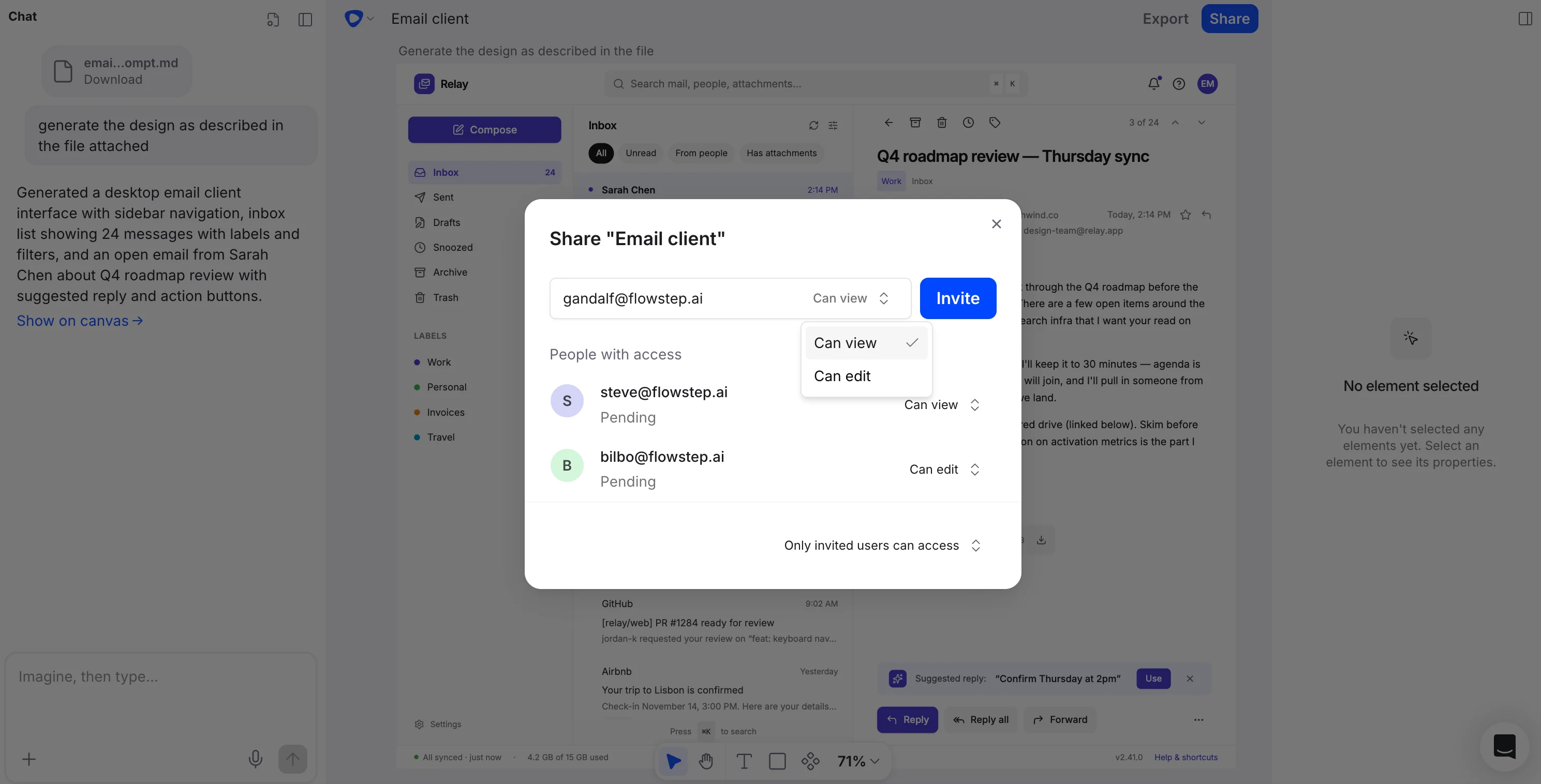
Each file has a General access setting in the share dialog with three levels:- Restricted — only people with access can open the file.
- Members only — members of your organization (the Owner, Admins, and Members) can view and edit the file.
- Public — everyone with the link can view the file. Link access is view-only.
Invite people by email
You can also invite specific people to a file by email with one of two access levels:- Can view — they can open the file but not edit it. People you invite this way become Guests in your organization, which is free.
- Can edit — they can edit the file. Granting edit access adds the person to your organization as a Member, which uses a paid seat, so on a paid plan you’ll be charged for it. On the Free plan the Can edit option is disabled — you’ll be prompted to upgrade to a paid plan before you can give anyone edit access.
When to use shareable links
Shareable links are useful any time you need input or sign-off from people who are not part of your day-to-day design workflow:- Executive or leadership reviews — share early-stage concepts for direction before investing more time.
- Client presentations — let clients view designs at their own pace and come back with consolidated feedback.
- Cross-team alignment — share flows with engineering, product, or marketing without requiring tool access.
- Async feedback — send links to stakeholders in different time zones so they can review when it suits them.